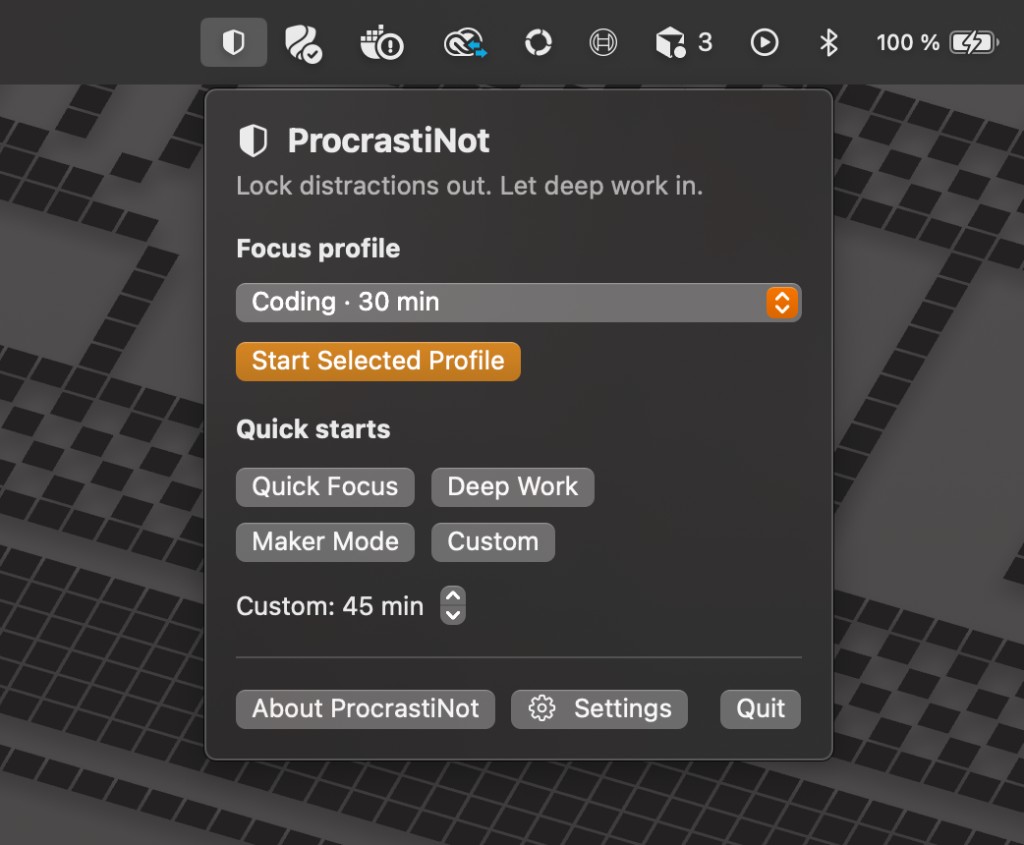
Choose a profile
Start your focus profile directly from the macOS menu bar.
 RubyMatilda
Deep Work Agent
RubyMatilda
Deep Work Agent
RubyMatilda
RubyMatilda helps you work distraction-free by blocking distracting apps and websites during your focus time.
Start a focus session, choose the apps you want to allow, and let your Mac protect your attention instead of pulling you away from the work.
Download and Pro checkout are placeholders until the public builds are released.
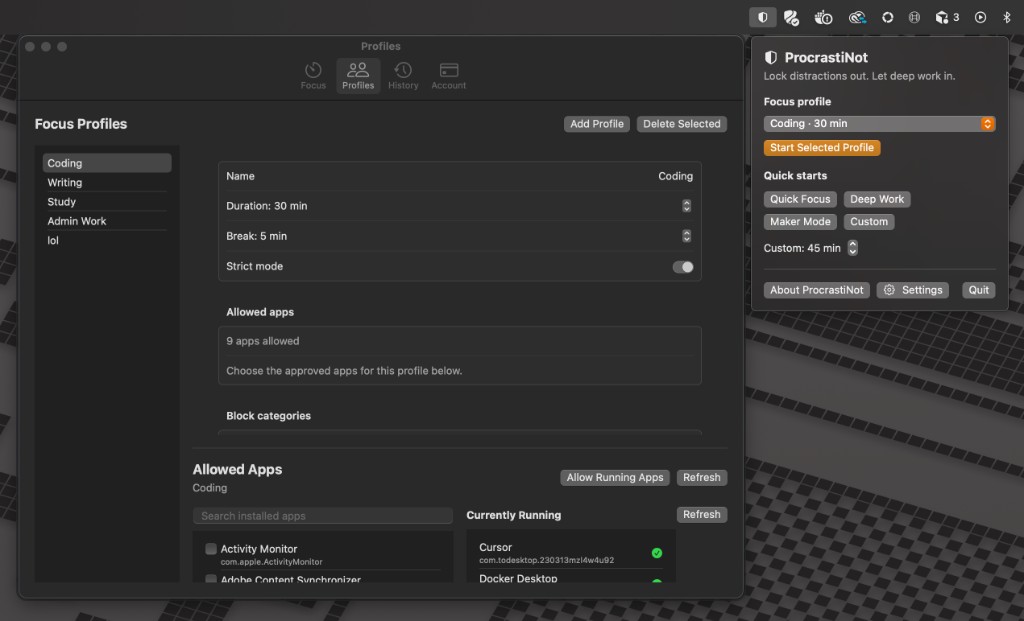
Start your focus profile directly from the macOS menu bar.
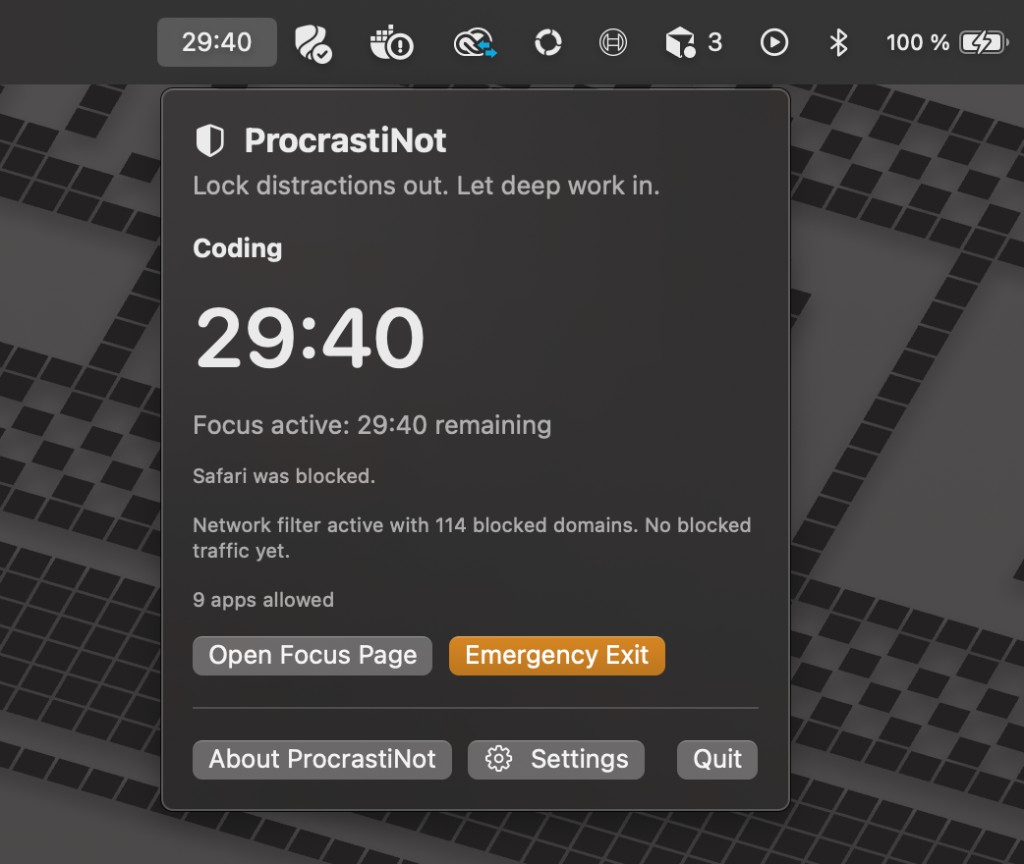
RubyMatilda detects distractions and stops apps or domains outside your rules.
Product preview
RubyMatilda combines a menu bar timer, Mac app blocker, website blocker, and focus profiles in a calm native workflow.
How it works
RubyMatilda does not make focus more complicated. You decide what is allowed up front, and your Mac keeps the rules during the session.
Create profiles for coding, writing, studying, meetings, or admin work. Each profile contains its own apps, websites, and durations.
Start focus time directly from the menu bar. Choose 15, 30, 60 minutes, or a custom duration.
During the session, RubyMatilda stops apps and domains that do not match your focus profile.
Direct download and Pro
Download RubyMatilda directly for macOS and use the basics right away. Pro features are unlocked securely through RevenueCat and Stripe.
RubyMatilda is also being prepared for the Mac App Store. The direct download path uses a web funnel: download the app from the website, buy Pro securely through Stripe, then refresh access inside the Mac app.
Download the notarized macOS app directly from RubyMatilda.com and install it on your Mac.
Direct download for MacPro checkout runs through RevenueCat Web with Stripe Checkout. Depending on configuration, card, Apple Pay, and other Stripe payment methods can be enabled.
Unlock Pro with StripeAfter purchase, click “Refresh Access” in RubyMatilda. The app checks your Pro entitlement and unlocks the advanced blocker features.
Links are placeholders until the notarized download and RevenueCat web funnel are live.
Features
Allow only the apps you truly need for your current task. New distractions can be stopped automatically during focus time.
Block social media, streaming, news, shopping sites, or custom domains during a focus session.
Create profiles for coding, writing, studying, creative work, or admin tasks with matching apps, websites, and durations.
Start, monitor, and end focus time directly from the macOS menu bar. No large dashboard. No extra noise.
A deliberate emergency exit helps prevent impulsive quitting when work gets hard. Not impossible, just intentionally inconvenient.
Try the Pro features for free and decide whether RubyMatilda belongs in your long-term workflow.
Why RubyMatilda?
Modern apps and websites are optimized to distract you exactly when your work becomes difficult.
RubyMatilda sets clear boundaries before that moment. At the start of a session, you decide which apps and websites are allowed. After that, RubyMatilda protects your focus so you do not have to renegotiate every small impulse.
The result: fewer context switches, less impulsive opening of distractions, and a Mac that feels like a workplace again.
Start the session. Block the noise. Do the work.
FAQ
Create a focus profile in RubyMatilda and define which apps are allowed during focus time. Apps outside your rules can be stopped while the session is running.
Yes. You can block domains such as social media, streaming services, news sites, or custom websites so they are not reachable during focus time.
RubyMatilda is planned as a native macOS focus app and is designed to reduce distractions beyond a single browser extension. Exact behavior depends on the build and enabled macOS permissions.
Yes. RubyMatilda is built for focused work blocks such as coding, writing, studying, research, creative work, and any task where context switching is expensive.
A normal Pomodoro timer only counts down time. RubyMatilda also helps block the apps and websites that pull you out of work during that time.
The Mac App Store build is planned. Until then, RubyMatilda will be provided first as a direct notarized macOS download.
Ready for fewer distractions?
Make your Mac a place for focus, not a machine for tiny escapes.